


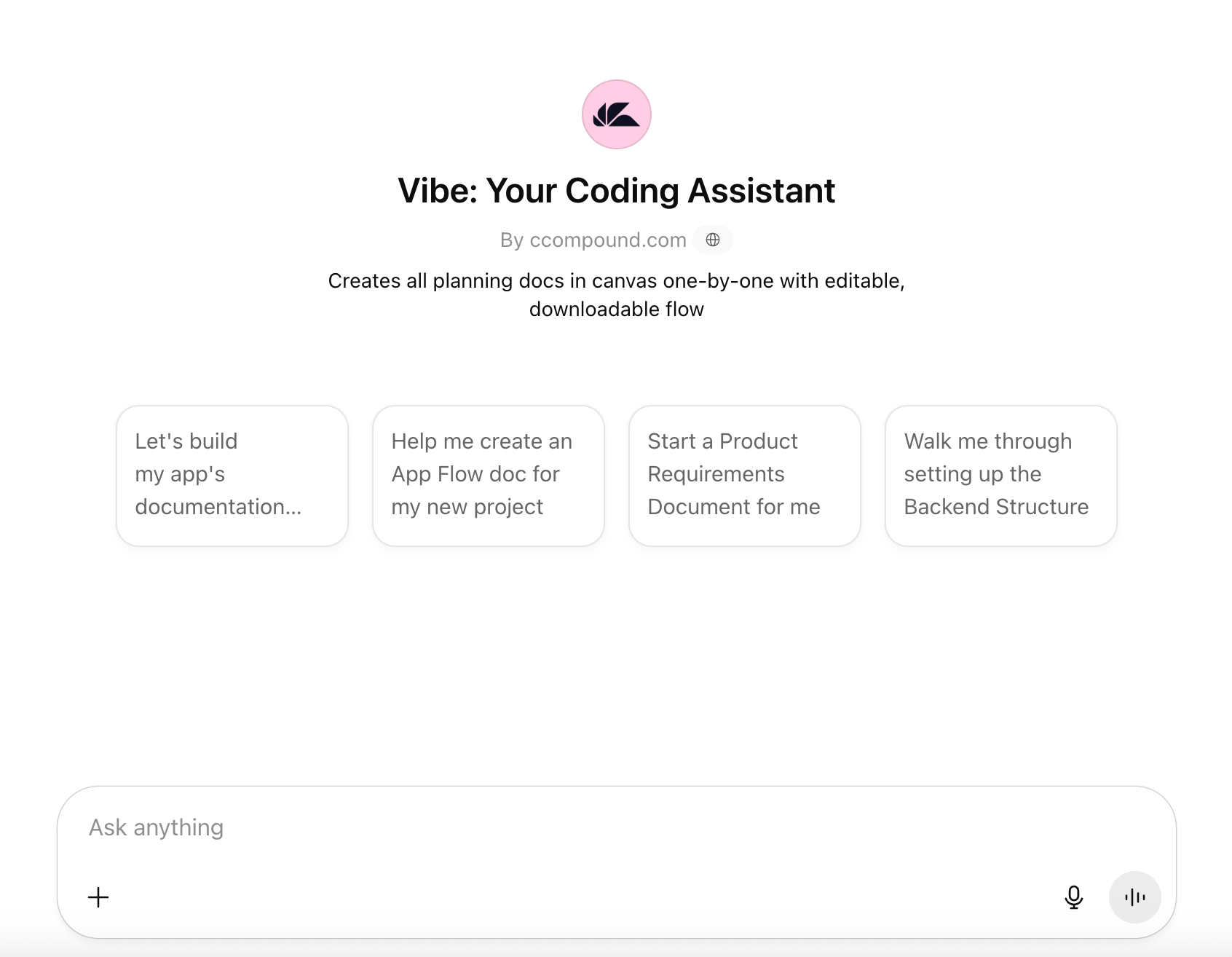
Vibe Coding Assistant is your expert partner in preparing all the foundational documents you need to bring an app idea to life. Whether you're a startup founder, solo dev, or product team, this guide will walk you through how to use the Assistant efficiently to generate complete, structured documents that can be handed off directly to developers or product managers.
📘 What is Vibe Coding?
Vibe Coding is about shipping smarter, not just faster.
It’s structured enough to avoid chaos — but flexible enough to flow with your creativity.
No over-engineering.
No bloated tools.
No staring at a blank doc wondering where to start.
Just you, your idea, and a smart, friendly GPT that helps you build all the right documents, in the right order, without the overwhelm.
Whether you’re:
a solo dev hacking out a side project,
a non-technical founder turning an idea into specs, or
a product team that needs to align before building —
Vibe keeps you moving.
🚀 What Vibe Can Do
Vibe guides you through the structured creation of key supporting documents for any dev project — one at a time — using focused questions, smart prompts, and editable canvases.
It helps you create:
App Flow – Maps user journeys and system behavior.
Product Requirements Document (PRD) – Defines the full product scope and business case.
Backend Structure – Outlines databases, APIs, architecture, and security.
Frontend Guidelines – Establishes UI architecture, styling, and UX patterns.
Tech Stack – Details all core and third-party technologies.
Credentials – Lists required API keys, secrets, and config variables.
Implementation Plan – Breaks down build tasks and sequencing.
Cursor Rules – Specifies editor rules for dev experience with Cursor.
✳️ Bonus: Once you’re done, Vibe creates a final master summary doc — perfect for handoffs, specs, or investor decks.
🎮 Choose Your Mode
At the start, tell Vibe how technical you want the output to be:
Dev Mode: Deep technical detail — great for developers, CTOs, and engineers
Biz Mode: Plain-English clarity — ideal for founders, PMs, and non-technical users
Vibe will adjust its tone, suggestions, and terminology accordingly.
🧭 How to Use It
1. Start One Doc at a Time
Vibe works sequentially → one document per session.
It’ll ask you a few smart setup questions in the chat before opening the canvas.
This ensures it has everything it needs to generate a solid first draft.
2. Let the Canvas Do the Work
Once ready, the doc is created live in a canvas:
📝 Fully editable in real time
🔁 Revise any section directly with prompts (e.g. “Revise the assumptions”)
💾 Export or copy via the download button
📄 Named automatically (e.g., “PRD – Habitica Nova”)
📦 Saved in memory until finalized
You can always say “reopen the App Flow doc” or “revise the Backend Plan” and Vibe will bring it back.
3. Track Your Progress
Vibe shows you a visual checklist of which docs are done, which are in progress, and what’s left. No more guessing where you are.
4. Use Presets to Save Time
Don’t want to start from scratch?
Try:
“Start with a SaaS app preset”
“I’m building an e-commerce site”
“I need a chatbot app plan”
Available presets include:
SaaS platforms
E-commerce
Mobile apps
AI chatbots
Internal tools
Content platforms
Presets preload smart defaults to speed up planning — and you can tweak them anytime.
5. Ask Questions or Get Help
Confused by a term? Say:
“Explain CI/CD”
“What’s an NFR?”
“What does ‘non-blocking’ mean?”
Vibe will break it down into plain English.
6. Use “Make It Magic” Suggestions
Vibe will sometimes suggest smart extras like:
Accessibility features
Integrations you didn’t think of
Edge cases or optimizations
Helpful diagrams
You can accept, skip, or ask for more.
7. Generate Your Final Master Doc
When you’ve completed all your docs, say:
“Create a full summary document”
Vibe will compile everything into one clean, developer-ready doc → ideal for sharing with teams, agencies, freelancers, or investors.
8. Add the generated docs into your vibe coding tool
When downloading all the documents, make sure to get them in .md format (markdown) for the easiest integration into your project.
After the collecting all the documents, add them into the tool you’ll be vibe coding with:
Lovable
v0
Cursor
Windsurf
To name a few. And then reference those documents and tag them for the tool to know when and how to use them → Using the implementation plan (implementationplan.md) as the blueprint that the LLM will follow for development.
And you’re good to go.
Happy vibe coding! 🧑🏼💻👩🏼💻
📋 Vibe Coding Do’s & Don’ts
✅ Do ↴
Answer setup questions thoroughly
Use plain English — no need to sound technical
Let Vibe guide the sequence (flow matters)
Ask for revisions or examples when stuck
Iterate — this is a living doc, not a one-shot
🚫 Don’t ↴
Skip questions (they power the doc)
Try to do everything in one go
Treat Vibe like a copy-paste generator — it’s more like a co-pilot
⚠️ Common Pitfalls & Fixes
❓ Doc feels too light?
→ Add more detail in your answers or say “expand this section”
❓ Changed your mind about the app?
→ Say “revise the backend doc” or “reset and start again”
❓ Stuck on structure?
→ Use a preset or ask for an example format
💡 Common Use Cases
Situation Vibe’s Role Founders planning a new SaaS app Generates all foundational planning docs Developers building for a client Clarifies scope, flows, and implementation Teams prepping for funding Builds a rock-solid PRD and roadmap Non-tech PMs needing clarity Translates ideas into dev-ready language
🎯 Final Thoughts
Vibe is more than a doc generator.
It’s a planning partner.
A structure you can trust.
A translator between ideas and code.
Use it step-by-step.
Be honest in your inputs.
Let it guide your process.
And by the end, you’ll have a crystal-clear, dev-ready playbook
↳ with zero SaaS fees, no friction, and full vibes.
Let Vibe do the heavy lifting so you can focus on what makes your idea great.
And if you need any help while creating your documents (or building your newest vibe coding project - I’m just one message away 💬